Pictogram van programma: WinSCP

WinSCP voor Windows

  • Gratis
  • 3.9
    235
  • 3K
  • V6.5.5
Gratis download voor Windows

Bekijk een advertentie en download gratis

Safe, open-source file transfers

WinSCP is an open-source, free SFTP, SCP, FTPS and FTP client for Windows.

Meest gekozen alternatief

Extremely secure FTP client

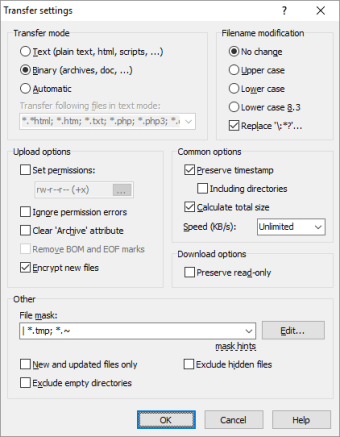
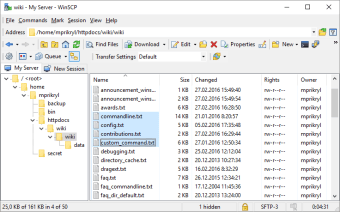
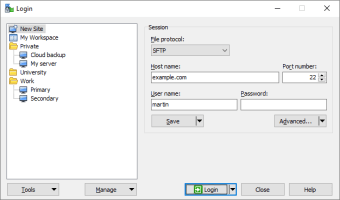
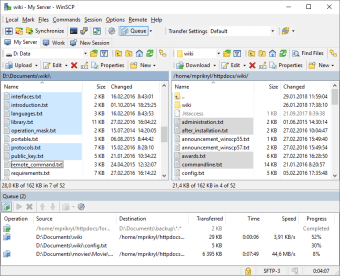
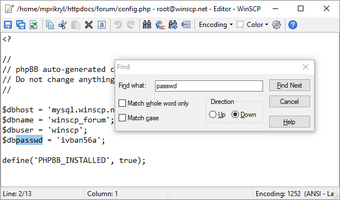
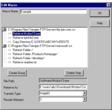
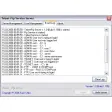
The key to WinSCP is the fact that it supports both SFTP and SCP protocols over SSH-1 and SSH-2. Of course, it also supports normal FTP protocols too. It also features full SSH support and has entirely configurable security and encryption options. A particularly nice addition is the Session Saving option. If you want to save your session configuration, you can use the save button on the login dialog. In this way, you can make huge FTP file transfers and not worry about stopping and completing it later. For starters, be warned that WinSCP is not the easiest FTP client to use. Because of the extra security features, WinSCP can appear overwhelming at first, although it does feature two modes of graphical user interface. WinSCP also supports integration with Windows in terms of drag & dropping files, pasting URLs and shortcuts.

Complex but very secure

WinSCP isn't the most user-friendly FTP client out there, but it must be one of the most secure. '


  • Voor

    • Ensures FTP transfers are secure
    • Supports session saving
    • 2 interface styles
    • Excellent security configuration
    • Pared-down style
  • Tegen

    • Not as simple as other FTP clients
    • Takes a while to configure security settings
 0/5

Specificaties van de app"

Programma is beschikbaar in andere talen


Pictogram van programma: WinSCP

WinSCP voor PC

  • Gratis
  • 3.9
    235
  • 3K
  • V6.5.5
Gratis download voor PC

Bekijk een advertentie en download gratis


Beoordelingen about WinSCP

Heeft u geprobeerd WinSCP? Wees de eerste om uw mening te verlaten!

Beoordeling toevoegen

Misschien interesseert je ook

Alternatieven voor WinSCP

Verken Apps

Nieuwste artikelen

De wetten inzake het gebruik van software verschilt per land. We moedigen het gebruik van dit programma niet aan of keuren het niet goed als het in strijd is met deze wetten.
Softonic

Is WinSCP veilig?

100/100

Scan resultaat: Schoon

Dit bestand heeft een uitgebreide beveiligingsscan doorstaan met VirusTotal-technologie. Het is veilig om te downloaden.

  • Virus vrij
  • Spyware vrij
  • Malware vrij
  • Geverifieerd door Beveiligingspartners

    Logo van VirusTotal

Scan Info

Laatste scan
woensdag 7 januari 2026
Scanprovider
VirusTotal · Volledig rapport

Bestand Integriteit

Bestand
6.5.5.
SHA256
853f28eee3d5e7f7a4e9d618362fdc6ce9efb1ce993117445a911d7a721995c1
SHA1
f4021ec2f2370ef1912fcbac4df4c9bab7d2d4d5

Softonic beveiligingstoezegging

WinSCP is grondig gescand door onze geavanceerde beveiligingssystemen en geverifieerd door toonaangevende partners in de industrie. Dit bestand komt van de officiële ontwikkelaar en heeft al onze beveiligingscontroles doorstaan, zonder tekenen van virussen, malware of spyware. Voor meer informatie, bezoek ons Security and Trust Center